
Putting practice made fun.
LagKing measures every putt and shows you how far it would have rolled on a real green, whether you practice on carpet, a putting mat, or a putting green. Stop guessing your pace. Start owning it.
Full phone/tablet app included forever. iOS and Android. No subscription.
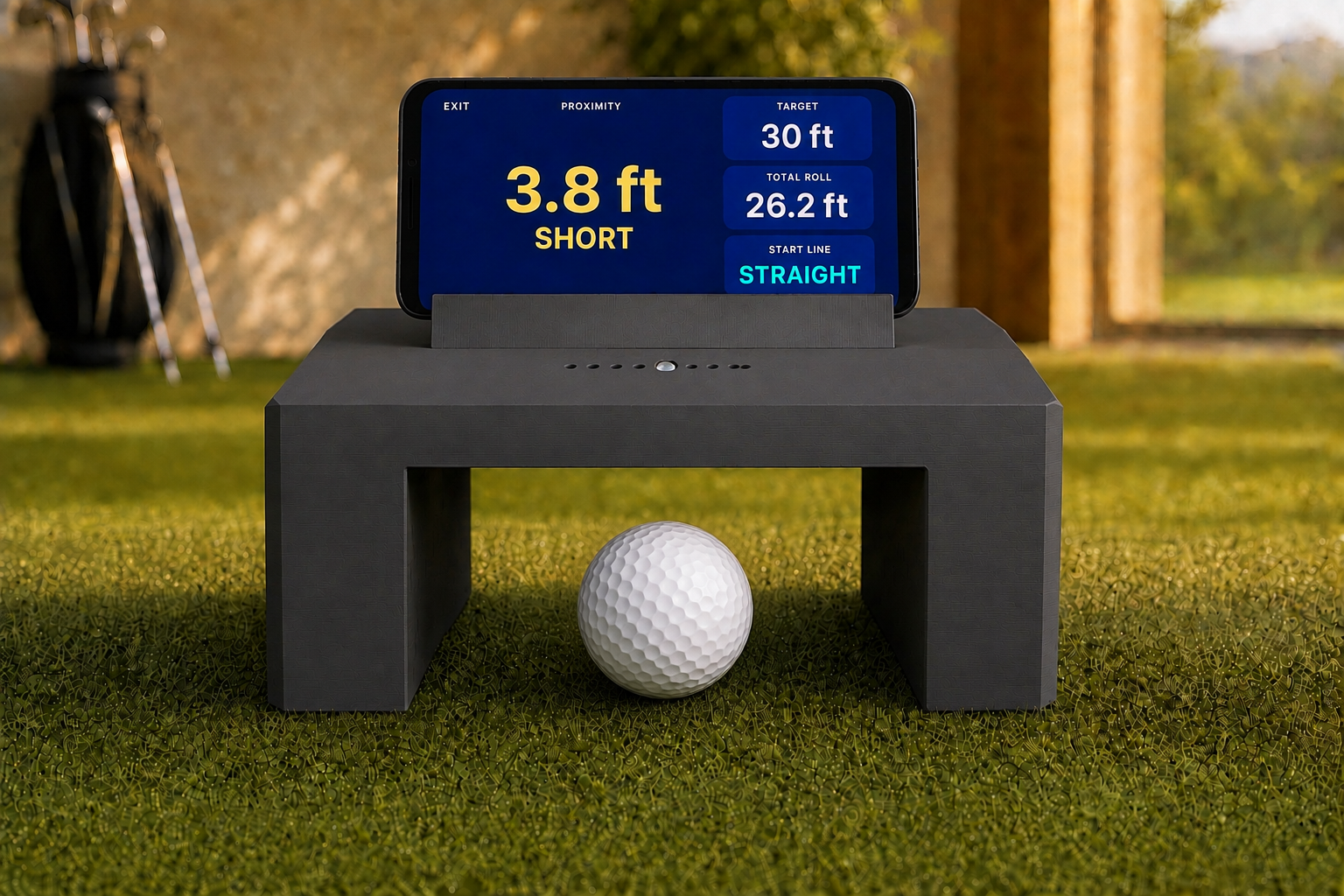
Product rendering. Actual units may vary slightly in appearance.
Make more of wherever you practice.
Carpet, putting mats, or putting greens. Set a target and see your distance on your phone or tablet.
Set the gate on your putting surface
Drop the gate anywhere on your line and putt through it. No screens to mount, no camera to aim, no ball to swap. Sixty seconds, including the app.
It measures the putt
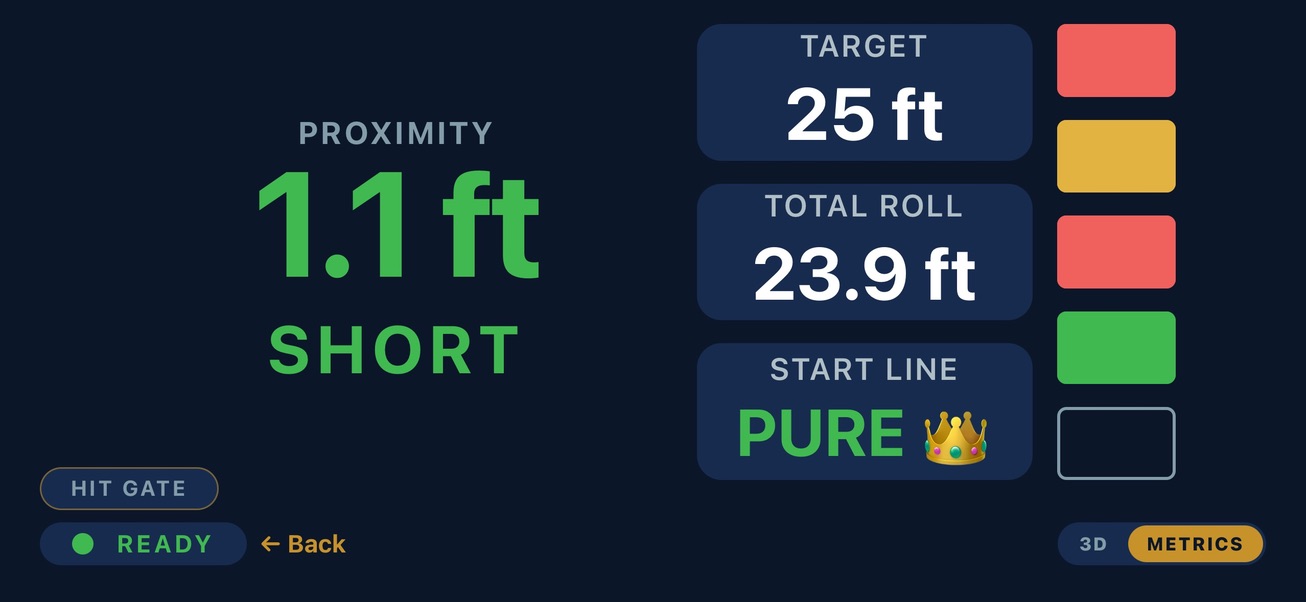
The gate clocks your ball’s speed with ~0.1% measurement precision as it rolls through. It also tells you if you pushed or pulled your start line.
See the real distance
Pick your green speed (stimp 5–15). The app instantly shows how far that putt rolls on a real green. A 10-foot mat can train a 40-foot downhill lag.
Leave the first putt close. Make the second one easy.
Watch your last three-putt again. The line was fine. The pace wasn’t. Long putts live or die on distance control, and it’s the one skill a mat can’t teach, because the mat never changes length or speed.
LagKing gives every putt a number. Hit a putt, see 31.4 ft, and know right away if that was your 30-footer or a blow-by. That feedback builds real feel. Feel is what you take to the course.
Lag it close. Tap it in. Watch your score drop.
Practice that feels like playing.
Full phone/tablet app included forever. iOS and Android. No subscription.
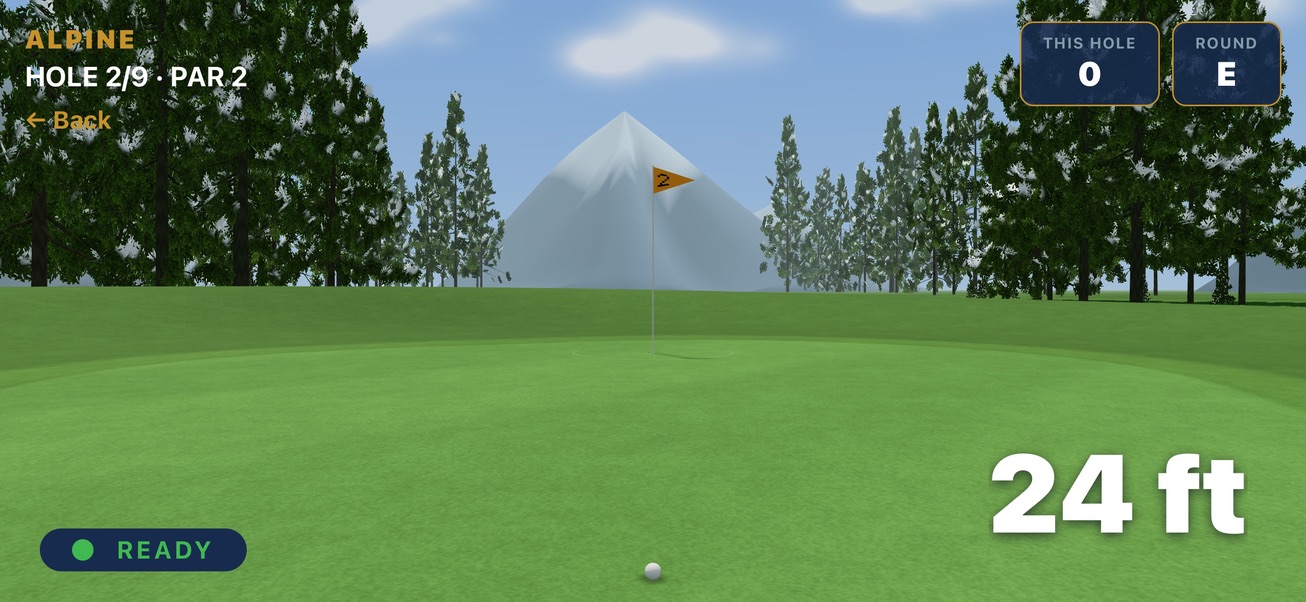
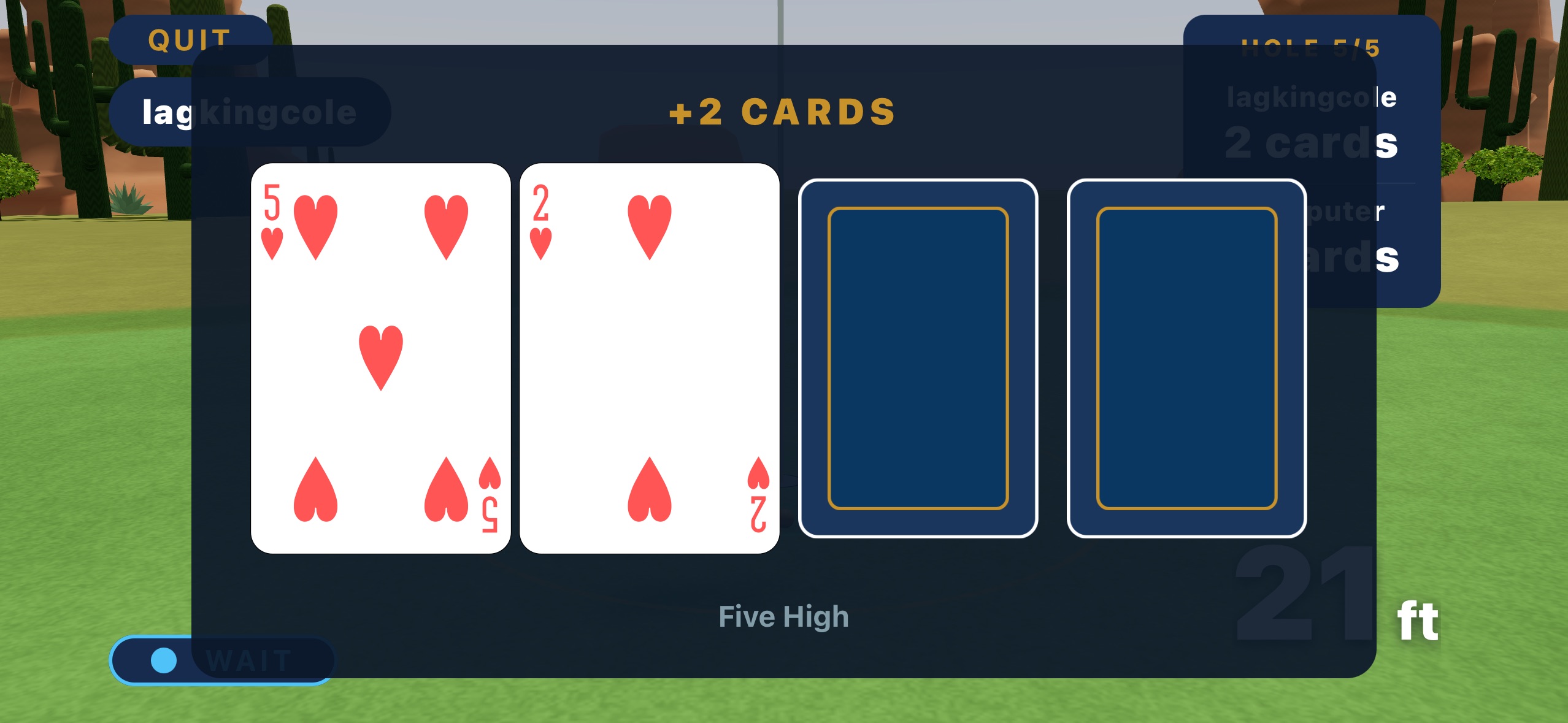
“I noticed a difference in my putting the first round after I got the LagKing. After using the gate for just 10-15 mins a day it gave me more confidence being able to walk up to a 25ft putt on the course and have the feel from practicing on the gate to hit a good putt.”
Measured feedback, without the price of a simulator.
Every practice tool teaches something. This is where LagKing fits.
Putting mats & gates
Zones, lines, and ramps train your eye, but nothing is measured. You never learn what “too hard” actually was.
LagKing adds measured feedback on carpet, putting mats, or putting greens.
Smart balls
Real measurement, but you putt their ball instead of yours, and indoor range tops out around 15 to 30 feet of actual roll.
LagKing works with your gamer ball and projects 20–60 ft putts on a 10-ft mat.
Camera putting simulators
Starting at $469, they need dedicated space, a separate display, and a camera setup you have to keep aligned.
LagKing gives you the pace number without a dedicated simulator bay or a special mat.
Your next favorite game.
Hand-built. Individually tested. Putting practice made fun.
- LagKing gate + full phone/tablet app, forever
- iOS and Android. No subscription.
- Free shipping to all 50 states and Washington, D.C.
See what’s included, shipping details, and current availability.
Hear when orders open.
This is our existing LagKing email list. Already subscribed? You’re all set.
You’re on the list. Watch your inbox.
Everything golfers ask us.
What do I putt on? Do I need a special mat?
No special mat needed. LagKing works on carpet, putting mats, and putting greens. You need roughly 8 to 10 feet of runway for a comfortable stroke through the gate.
One thing we do recommend: a mat with a line printed on it. Every gate ships with an alignment jig that squares the gate to your putting line, and a line on the mat gives the jig something to square against. Without one the jig still helps and you will still be close, there is just a bit more eyeballing involved. It matters most in Start Line mode, where the whole point is measuring where you started the ball, so a gate sitting a few degrees off square shows up as a bias in your grades.
How accurate is it, really?
The gate measures ball speed with ~0.1% measurement precision. On a projected 30-foot putt, the measurement itself moves the number by about an inch. The distance you see is that measured speed projected onto a green of your chosen speed (stimp 5–15). Match the stimp to your target green and the number is the putt. The app also includes a built-in stimp tool to measure your own mat’s true speed, so your baseline is real, not a guess.
Does it read my line too?
Every putt gets a start-line grade: Pure, Slight, Wide, or Major, plus the side you missed on. The grades are set by how long a putt that line would still hole. Pure would drop from 20 feet, Slight from about 7, Wide from about 4. We give you a grade instead of a decimal because how far that line would still go in is the thing you actually care about, and it is what fixes your stroke. Roll a few and you find out quickly whether you push, pull, or start it where you are aiming.
Will I hit the gate?
Sometimes, yes, and that is fine. Most golfers clip a side wall now and then. If your start line wanders you will do it more, and kids will hit the walls constantly, which is most of the fun of handing them a putter. Once your stroke settles you will roll through the middle without thinking about it, and the misses that do happen tell you something useful about your start line.
Getting hit by a putted ball is the job, not abuse. The firmware notices a strike, sorts itself out in about a second, and carries on. It will pick up marks, and it is meant to: scuffs from ball contact are what a used training aid looks like, and they are never a fault. If a putt ever does stop it working, that is on us: the 12 month warranty covers it, once in your term. It is built for the accidental hit, though, not for target practice, so please do not line up and fire putts at it to see what happens — that is where the cap comes from, and we would rather tell you about it now than at the point of a claim. And it is a putting gate: a full swing or a club strike is not putting, and that is the one thing the warranty will not cover. Full terms: lagking.com/warranty.
What if the ball hits the top of the gate?
Then you hit a bad putt, and you will know it instantly.
A well struck putt rolls under the top bar without touching it. A ball that hops or skips off the face can clip it. We could have built the gate taller, but a hopping ball is not rolling, and rolling is what we measure, so a taller gate would only have produced confident looking numbers for putts we cannot honestly read. We would rather you get no number than a wrong one. This way there is no ambiguity: if you clip the top, that putt did not count, and you already know why.
Do I need a phone or tablet?
Yes. A phone or tablet (iOS and Android) is the display. Using a device you already own instead of a built-in screen helps keep the gate at $199.99. It connects in seconds, and your phone mounts right onto the gate, angled so you can view it while putting.
Practice needs no internet or cell signal at all, so a basement or a garage is fine. Playing matches against friends and seeing the leaderboards do need a connection.
Is there a subscription?
No. Not now, not later. The full app is included with your gate: every mode, matches, leaderboards, and over-the-air firmware updates, at no recurring cost. We think charging you to use hardware you already bought is the wrong way to run this, so we don’t.
You do make a free account, which is what carries your history and lets you play against friends. There is no paid tier behind it. And if you ever sell the gate, there is nothing to hand over: the next owner just downloads the app.
Battery and charging?
Built-in rechargeable battery, charged over USB-C. Roughly 6 hours of active putting per charge, and it naps automatically between sessions.
One quirk worth knowing up front: the Founder Edition charges from a USB-A to USB-C cable, not from a USB-C to USB-C one. That is a limitation of the charging hardware in this first batch, and future versions of the gate will not have it. It is also exactly why we put a USB-A to USB-C cable in the box, so it is handled the moment you open it. If you want to leave a spare cable in your practice space, that is the kind to grab.
When does it ship?
Ordering is not yet open while we await final FCC compliance testing. We will publish the expected shipping window before accepting payment. Join the list to hear when orders open.
What if it’s not for me?
30-day money-back guarantee, no questions asked. If it doesn’t make your practice better, send it back within 30 days of delivery for a full refund (you cover return postage). Use it properly in that time — scuffs and ball marks never cost you a penny of the refund; we just need it back in working order. Every gate also carries a 12-month warranty. Full policy: lagking.com/warranty.