
LAGKING EVENTS
Run a putting contest.
Set up one gate, and anyone can walk up, type a name, and putt. A live leaderboard keeps the crowd watching.
Great for trade shows, club nights, golf shops, and fundraisers. Free with every LagKing gate: no limit on players or events.
See how it works
BUILT FOR THE BOOTH
The busiest booth at the show.
A reason to stop
A putting contest pulls people out of the aisle. Anyone can play in under a minute: no app, no account, just a name.
A crowd that stays
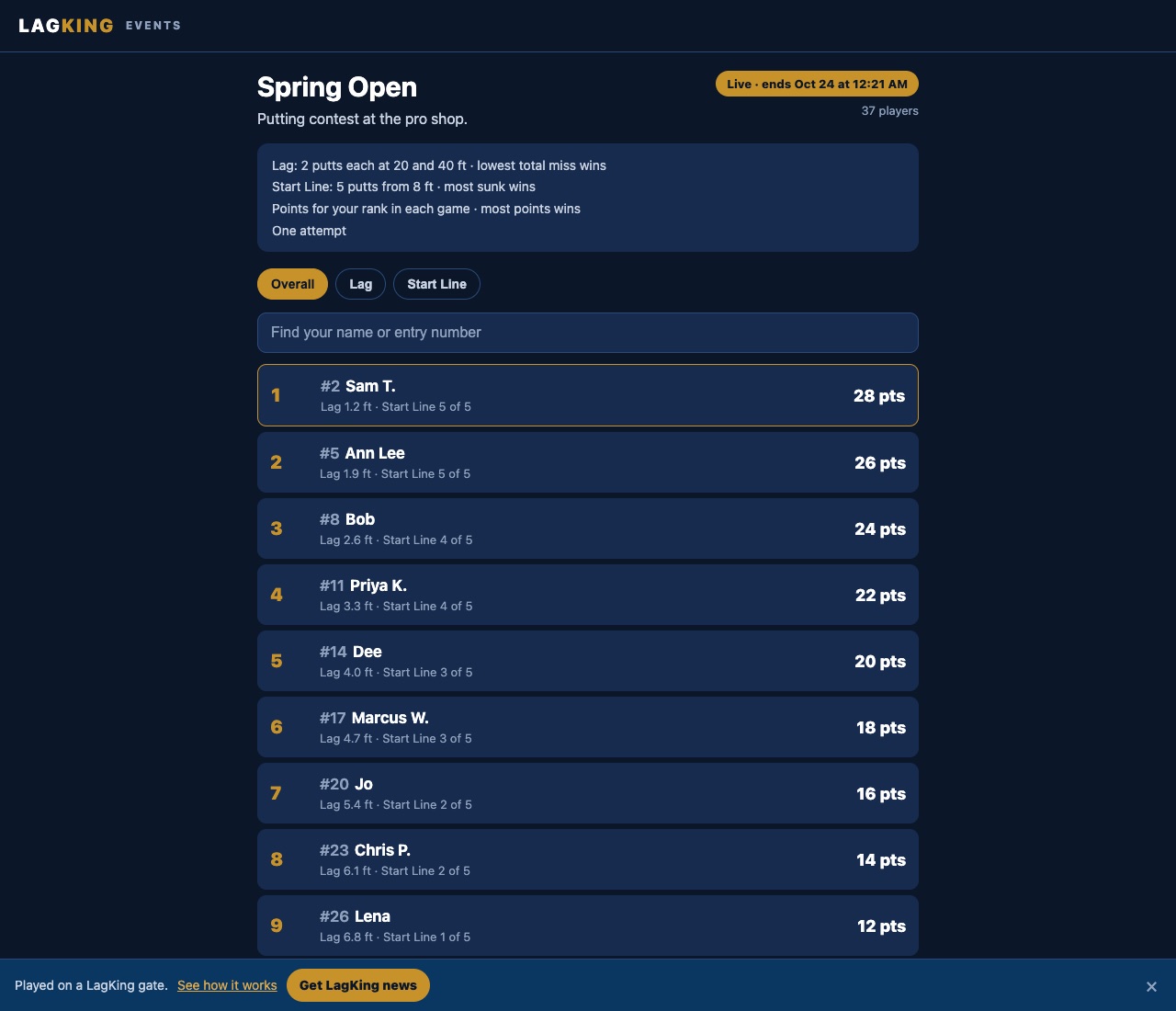
Put the leaderboard on a TV at your booth. It updates after every putt, and a QR code lets players follow the standings on their own phones as they walk the floor.
Leads you can use
Ask each player for an email when they enter their name. When the show ends, download every name and email as a spreadsheet and follow up.
HOW IT WORKS
From setup to winner.
Build your event
Create it in the LagKing app under Challenge, Events, or on a computer at lagking.com/profile. Pick a format, give it a name, and open it when you are ready. Open, close, and reopen it whenever you like, or set start and end times.
Leave the gate running
The event screen runs on the phone or tablet at your gate. Each player types a name, takes a practice putt, and plays. Returning players pick their name from the list.
Show the leaderboard
Every event gets its own leaderboard page. Share the link, print the QR code, or put the big-screen view on a TV.
Reach your players
Download names and emails as a CSV file whenever you need them, to contact your winners or follow up after the event.
FORMATS
Pick a game, or a few.
Closest to the pin
One distance or a set of distances. Lowest total miss wins.
Start Line
Putts from a set distance. Most holed wins.
Poker
Earn cards with your putting. Best hand wins, with rings you can adjust.
Simulated 9
Any holes from the virtual courses. Fewest strokes wins.
Combine several games into one event, scored by points for each player’s place in every game. Running more than one gate? Helpers run the same event on their own gates with a helper code, and every putt lands on one leaderboard.
PLAYER EMAILS
Collect emails, then export them.
Turn on Ask players for an email when you build the event. Each player is asked once, when they enter their name, and it is always optional for them.
Players see that their email goes to you, the organizer, and is never shown. Only their name appears on the leaderboard.
After the event, download every player’s name and email as a CSV file from lagking.com/profile, ready for a spreadsheet or your email tool. Let players know what you will send them, and LagKing never adds their emails to its own list.
What you need.
A LagKing gate, the free LagKing app on a phone or tablet, and a free account to create the event. Players need nothing at all.